Rewrite in tone
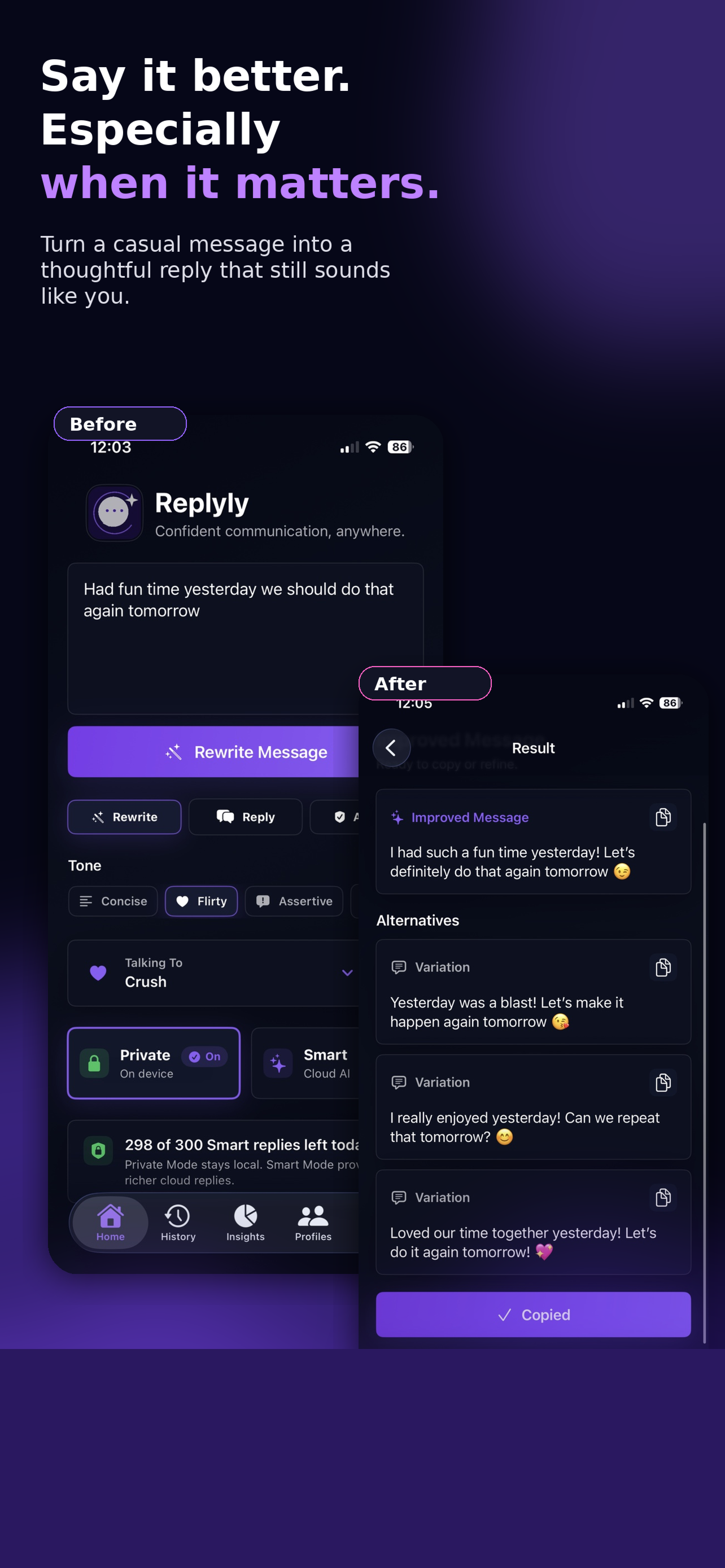
Turn a rough draft into something friendly, professional, concise, confident, calm, or flirty.
Rewrite awkward drafts, make messages sound clearer, and keep the conversation moving from the keyboard you already use.
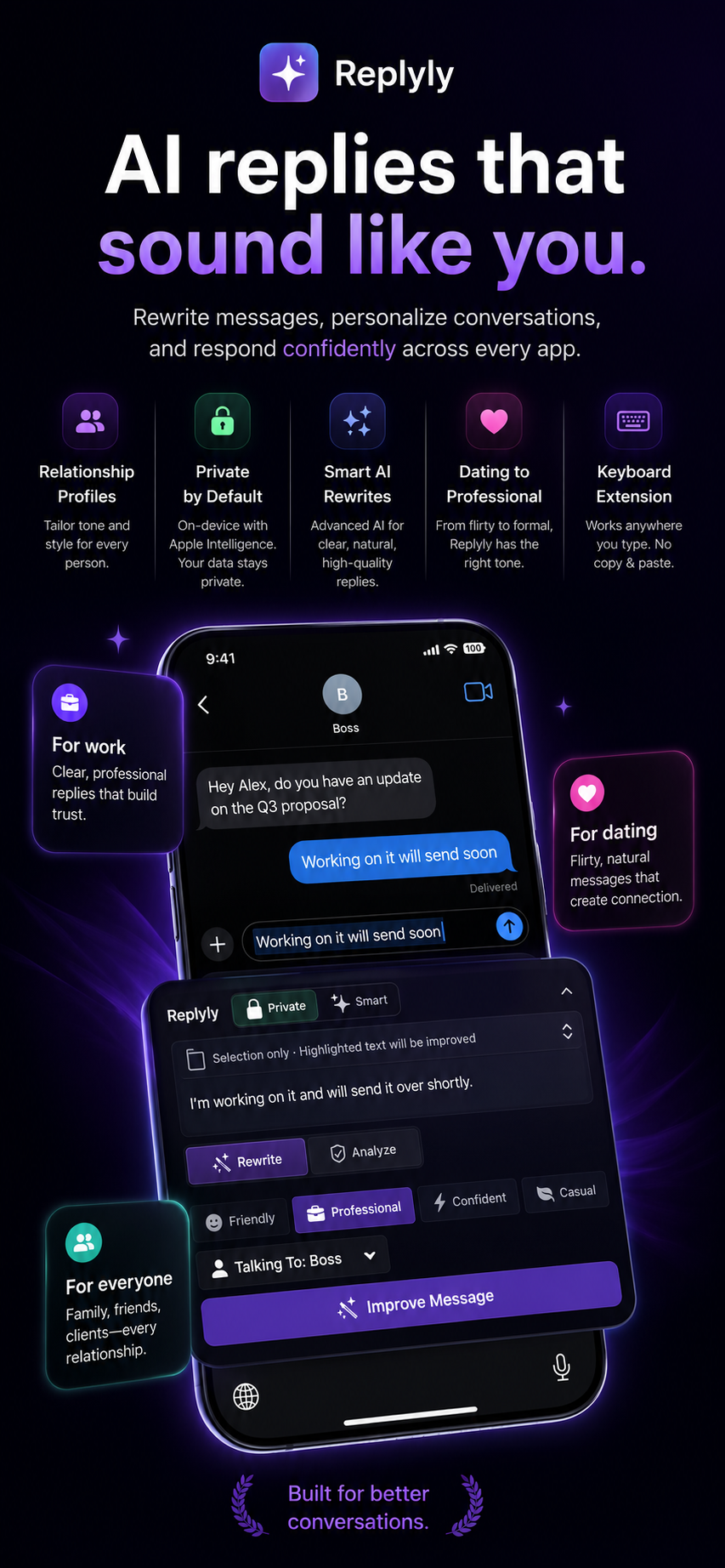
Replyly AI works where conversations happen: dating apps, work chats, messages, and anywhere you can type.
Turn a rough draft into something friendly, professional, concise, confident, calm, or flirty.
Use relationship profiles so Replyly AI understands who you are talking to and how you want to sound.
Supported rewrites can stay on device with Apple Intelligence. Smart mode is available for more advanced help.
From a first message to a boss reply, Replyly AI helps you send the version you meant to write.
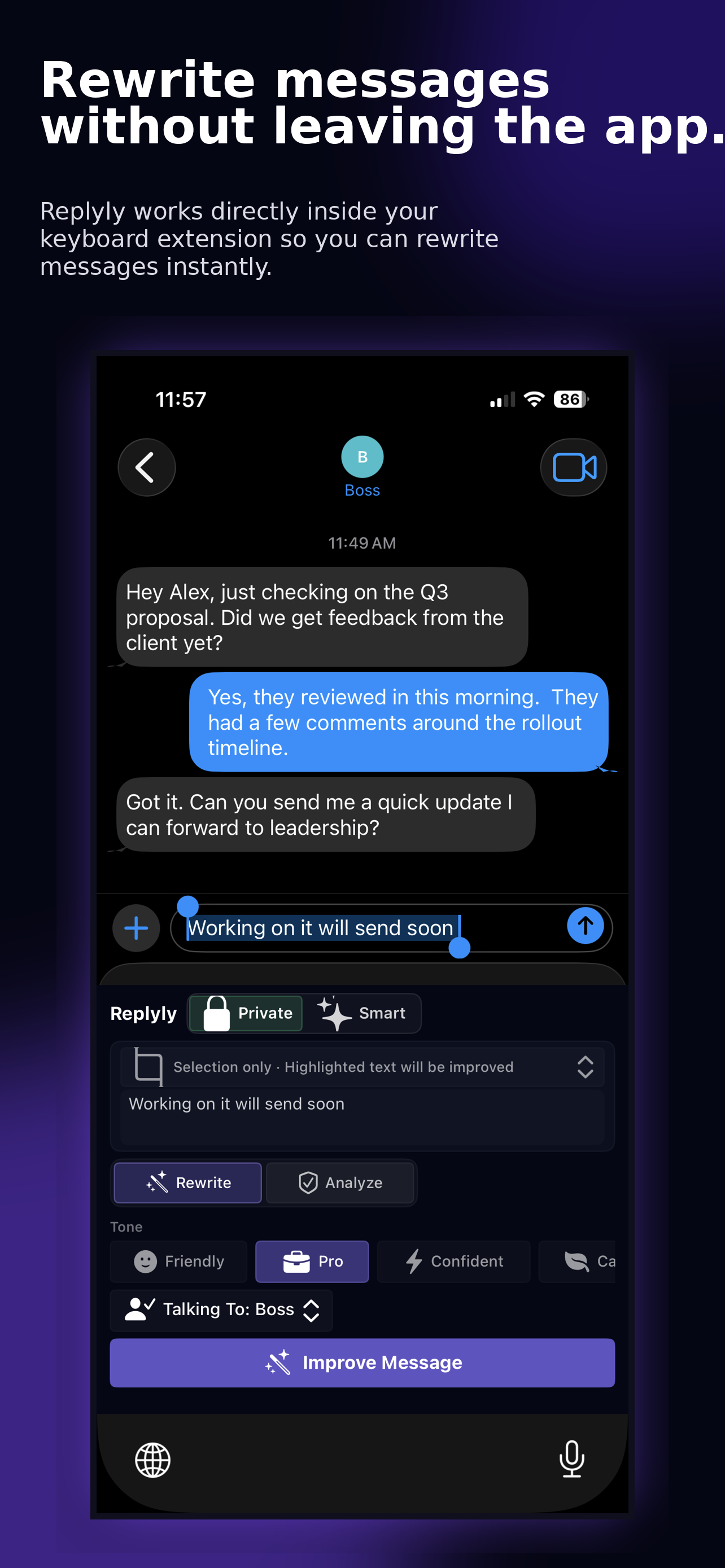
Install Replyly AI, enable the keyboard, type or select your draft, then choose the tone that fits the moment.